
🎨 Stack & switch presets
VJam's visuals are made of "presets". A preset = a "look" — a template for how the visuals look 🎨 Here are the basics of stacking, switching, and clearing them!
🍰 First, get the feel for it: tap to add, swipe to change
VJam's visuals are roughly a two-layer setup 👇
- Tap / click 👉 adds a visual part on top (they keep stacking) 🍰
- Swipe right / → 👉 swaps the flashy base visual for a different one 🔄
Get that muscle memory first. Technically, stacking uses p5 and switching uses MilkDrop — two engines — but don't worry about that yet (more in 💡 Concepts: dual engines).

.webp)
| What you want | PC ⌨️ | Mobile 📱 | What happens |
|---|---|---|---|
| Stack | click | tap 👆 | Adds one p5 visual on top. Tap more, layers grow 🍰 |
| Switch | → |
swipe right 👉 | Swaps the MilkDrop visual for another. The old one is replaced 🔄 |
💡 Both pick at random. When you want to choose on purpose, use the Cockpit (below).
🧹 Screen getting messy? Kill to reset
- Tapped too much and the screen's a mess? 👉 PC =
←/ Mobile = swipe left 👈 to Kill - Kill clears all the p5 layers you stacked (back to blank)
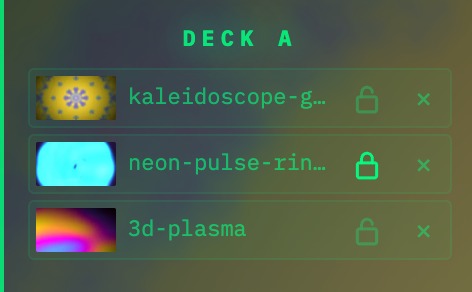
- ⚠️ But layers with a 🔒 (a lock marker) survive. Images and text get 🔒 automatically, so Kill won't wipe them
💡 Left/right swipes aren't "back/forward" — heads up! Right = switch / Left = Kill (clear all). Lost? Swipe left / ← once to reset and regroup 🧹
🔒 Lock: keep layers from being cleared
Lock marks something so Kill won't remove it. Use it for logos, text, track info, or a preset you want to keep.
- Open Cockpit and look at the deck's layer list
- Tap the open lock on a row to turn it into a 🔒 locked item
- Tap it again to unlock. To remove it, unlock → × delete, or use Kill
- Images, video, text, and track info are locked automatically when you add them
💡 When the layer cap is full, VJam pushes out the oldest unlocked layer first. If everything is locked, a new layer may fail to add, so only lock what you really want to keep.
🎛️ To choose on purpose, use the Cockpit
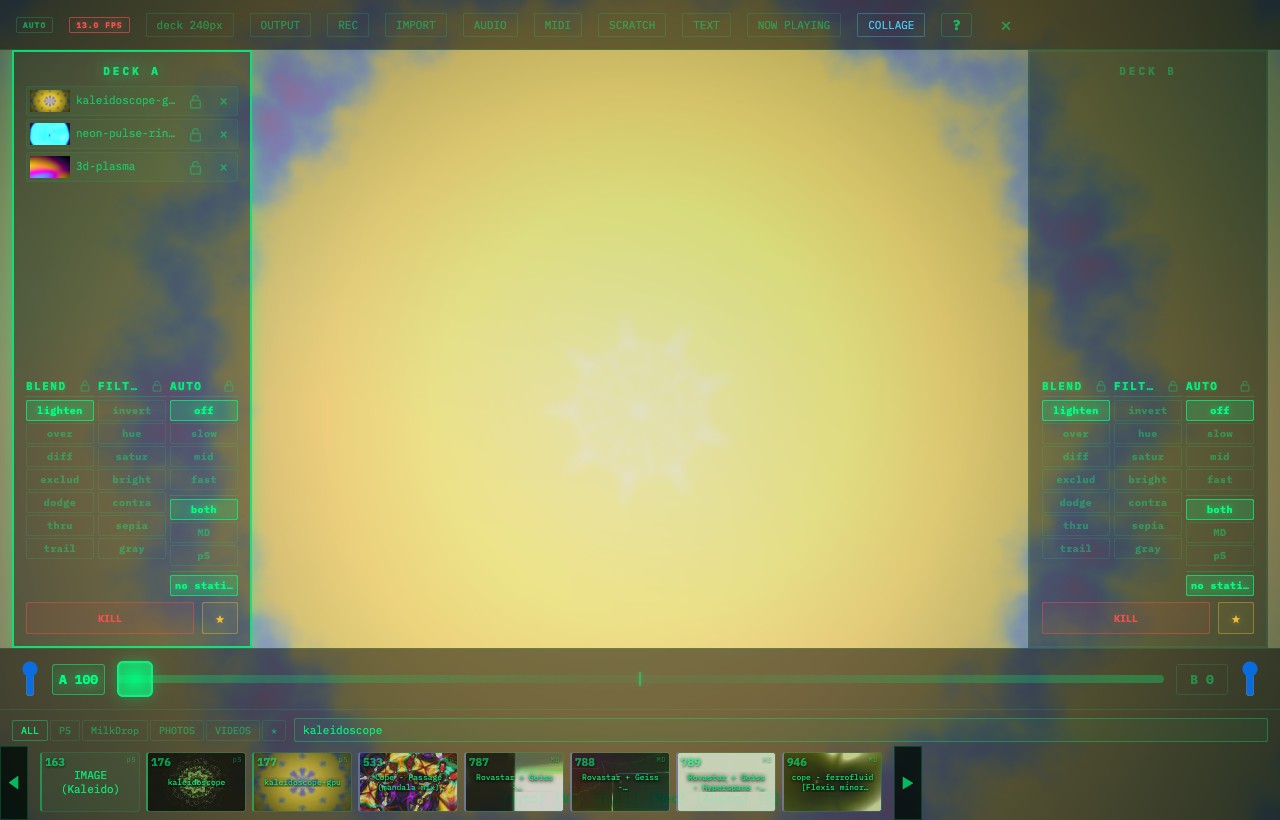
- Tap and swipe are for keeping things random and moving. To choose a specific preset, use the Cockpit browser (Space / pinch 🤏)
- Search in the All / P5 / MD / ★ (FAV) tabs 🔍
- (When you're using Decks, Kill only targets the deck you're on. More in 🎱 Deck A/B)
📚 For the curious (read when you need it)
- Layers have a cap: p5 has a layer cap so things don't pile up forever. Past the cap, tapping again pushes out the oldest unlocked layer and adds the new one (first in, first out).
- Long-press cycles favorites: long-press (500ms) cycles through your saved preset FAVs. Right half of the screen = next / left half = previous ⏩⏪ (saving FAVs is in ⭐ Scenes & FAV)
🔗 Related
- How p5 and MilkDrop fit together → 💡 Concepts
- Switch looks with A/B decks → 🎱 Deck A/B
- Change how layers mix and color → 🌈 Blend & filters
- Save favorite presets → ⭐ Scenes & FAV
- Pick presets from jogs and buttons → 🎹 MIDI / 🎛️ Controller mappings